



Now Available
NavVis IVION 12.0.0
Unveiling the Revamped User Interface
This software update brings a rebuilt interface, a new way to view your scan data in 3D, and two previously beta features.
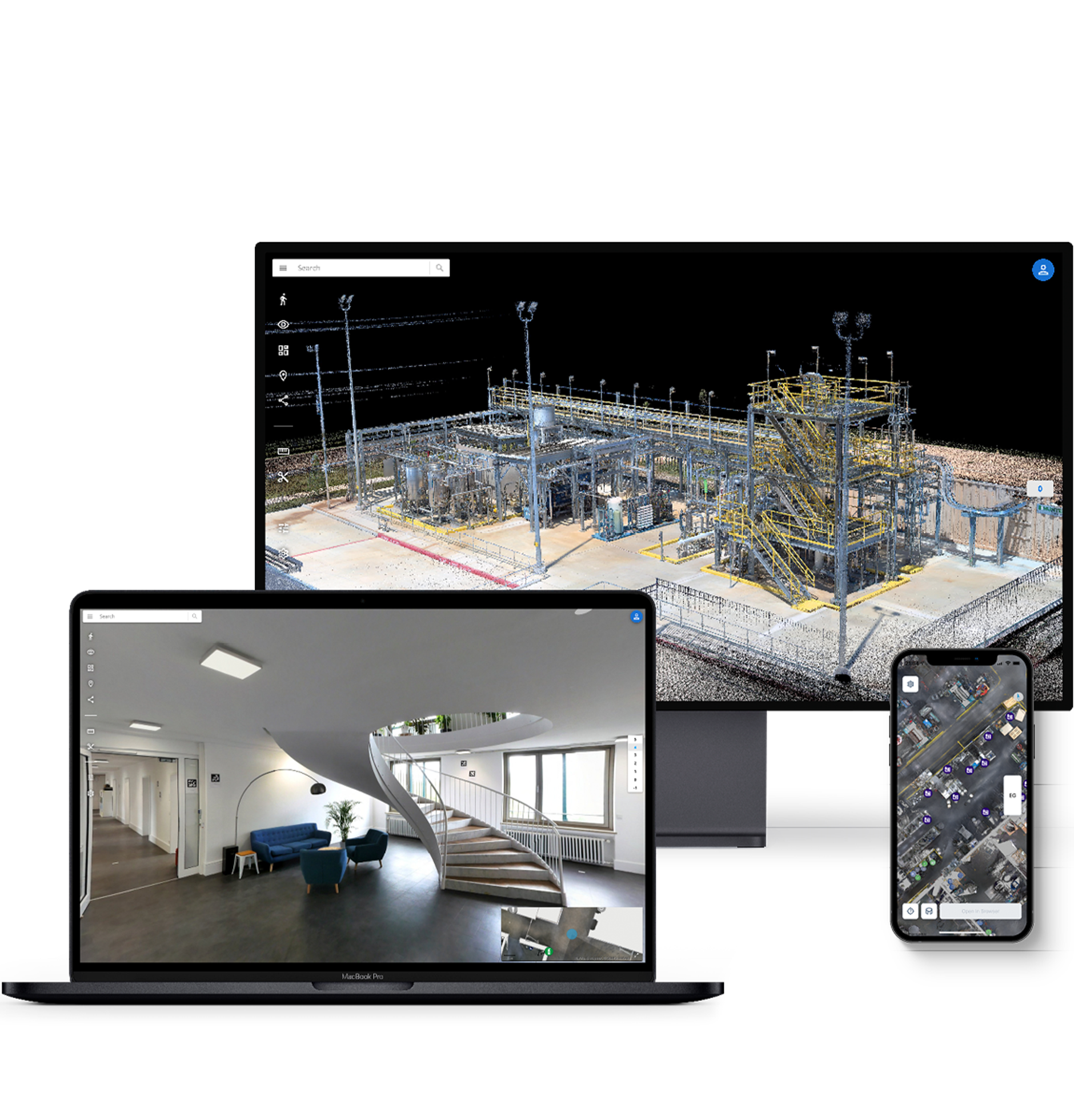
Here is what's new in NavVis IVION
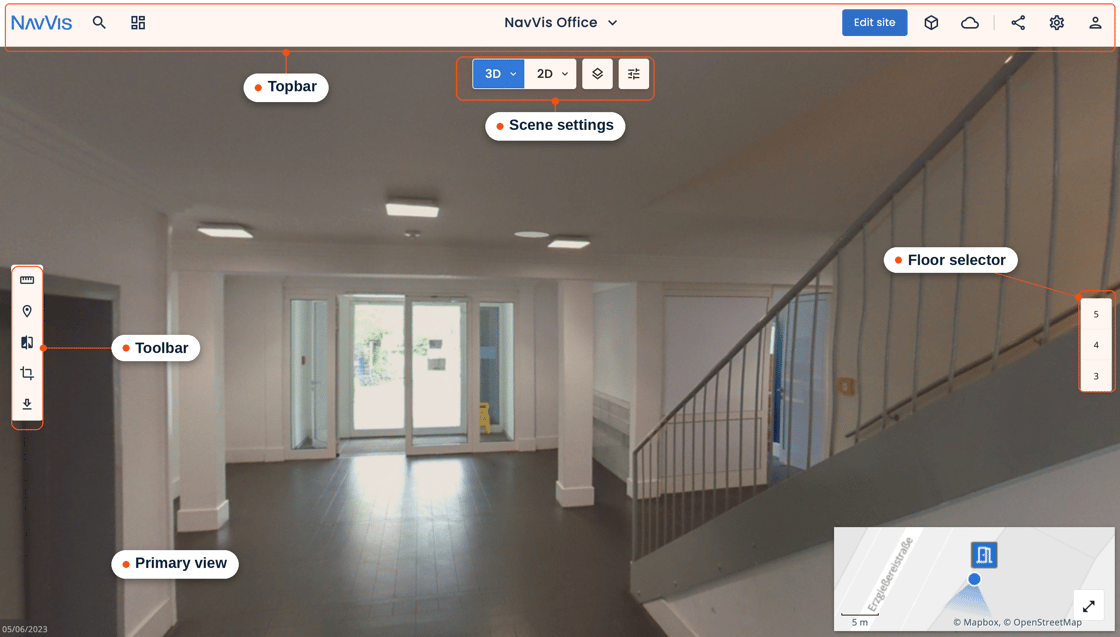
Intuitive UI for faster workflows
NavVis IVION's interface has been rebuilt around one continuous way of working. Tools stay available as you go, so you no longer switch modes or wait for the scene to reload between tasks. Crop & Download, Mark & Measure, Verification tool, and POI editing now share one toolbar, and the topbar is organised around your data rather than around modes.
If your Frontend API integration customizes the sidebar menu, review how to update your integrations for the new interface.
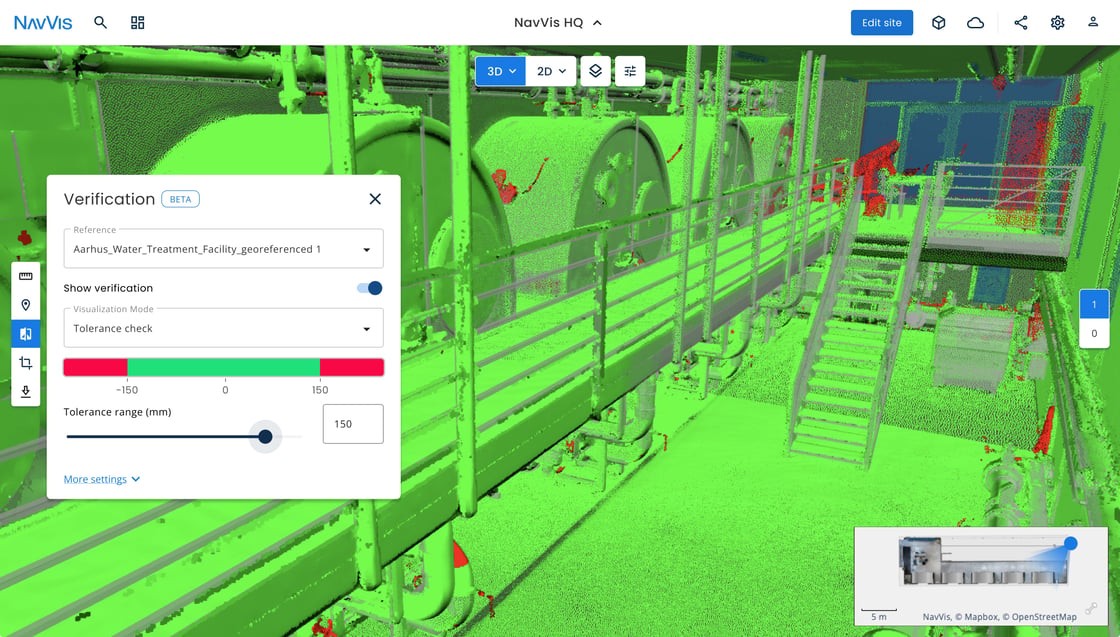
Verification Tool (Beta)
Compare a captured space against your reference model and see where the two differ, without leaving NavVis IVION. Available now in beta.
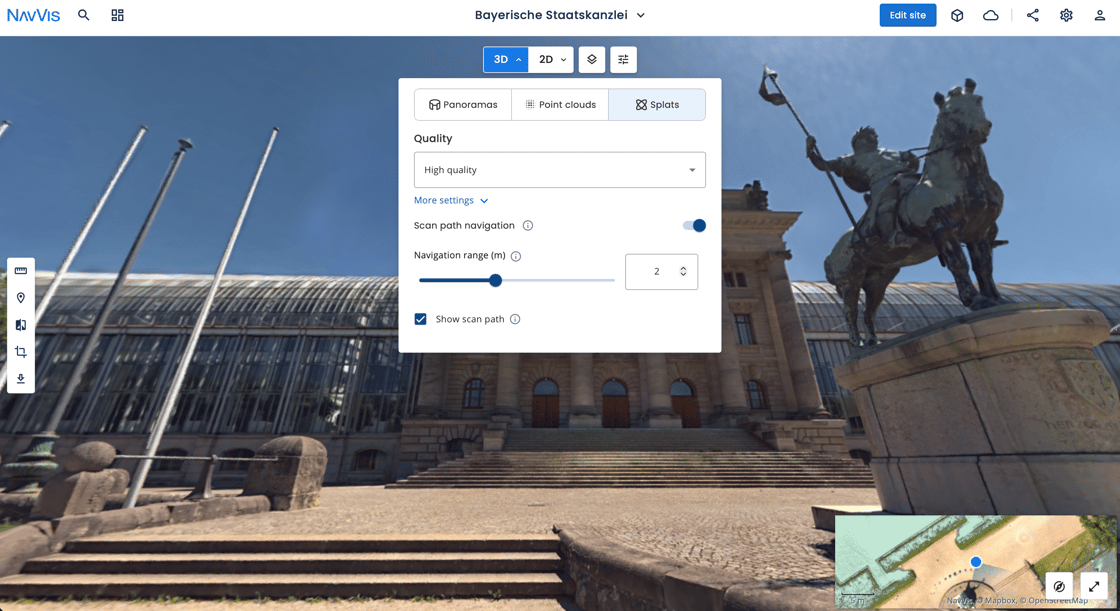
Gaussian Splatting (Beta)
Gaussian Splatting turns your real-world environments into immersive 3D scans - so anyone can understand a site at a glance. Measurements, POIs, and downloads work just like before, available in beta for NavVis MLX devices.
Sign up here for access.
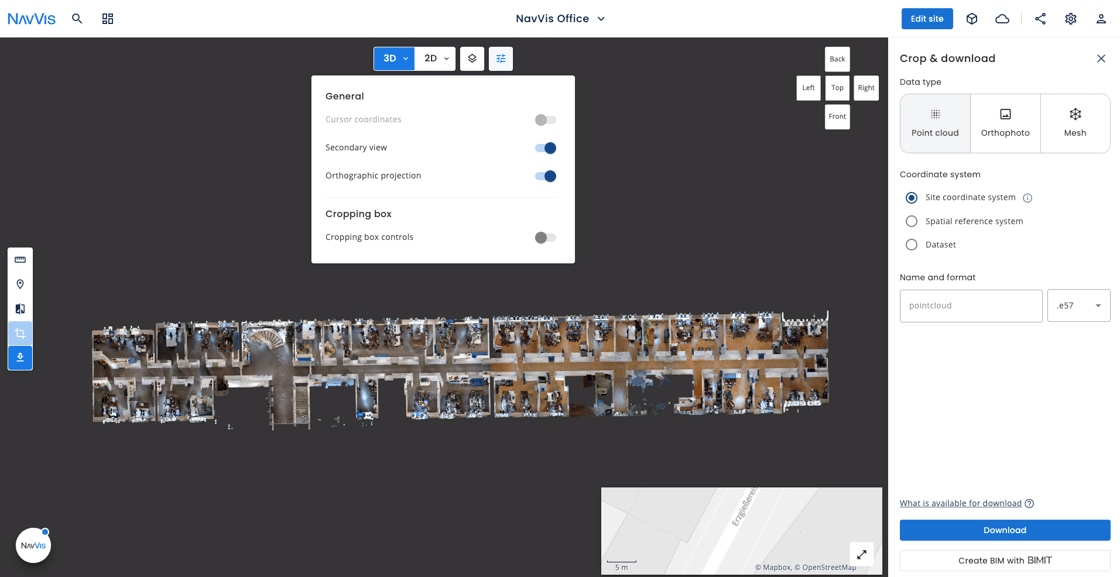
Orthographic Projections for Point Clouds
Switch on orthographic projection in Explore view to see a site straight-on, with no perspective distortion. Useful for inspecting facades, reading layouts, or checking alignment across a floor.
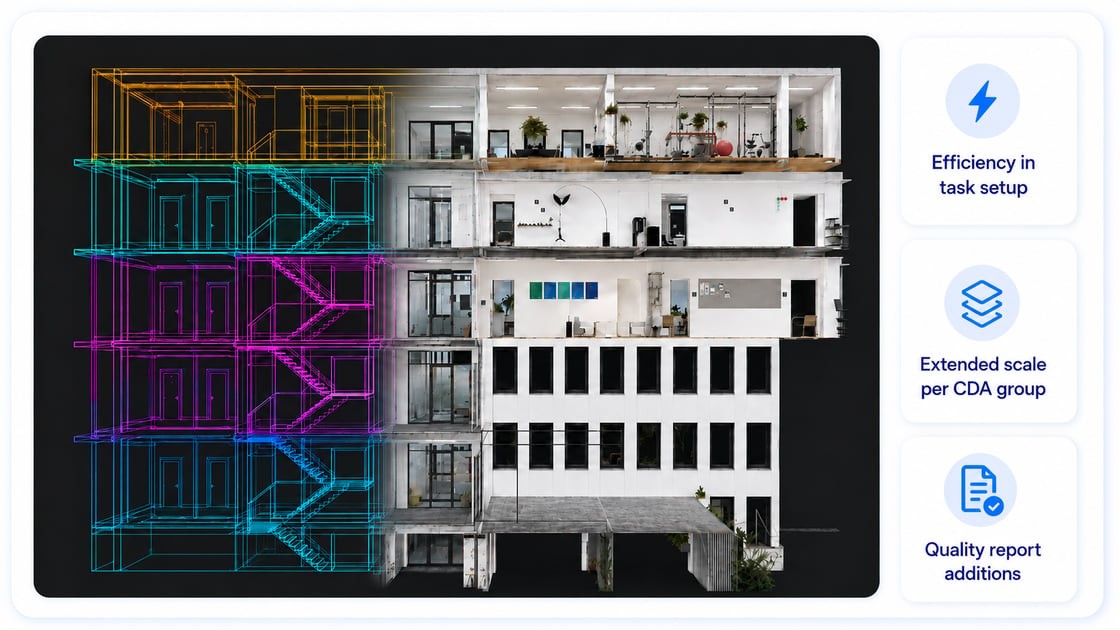
Cross-Dataset Alignment
Cross-Dataset Alignment automatically aligns and optimises datasets from any NavVis device across multiple scans into one reliable point cloud deliverable, with less need for surveyed control points and less manual effort. This release adds faster task setup, support for larger alignment groups, and new Quality report details for validation and review.
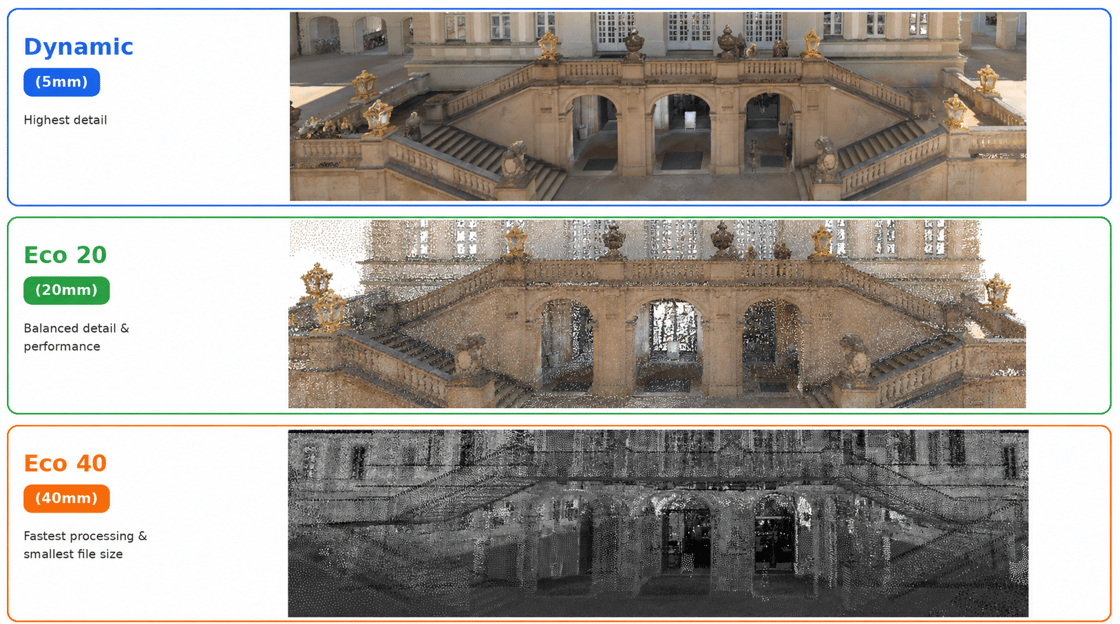
Economic Processing Modes
Economic processing is now available for all NavVis datasets from NavVis MLX and NavVis VLX 3, with two fit-for-purpose options when you don't need full resolution. Eco 20 produces a 20 mm point cloud with panoramas, Eco 40 a 40 mm point cloud without panoramas. Both modes process faster and and are cost effective alternatives.
How to update
As a NavVis Cloud user, your instance will be automatically updated if you have enabled auto-updates. If not, you can manually update your instance to the latest version of NavVis IVION in your NavVis Cloud instance dashboard under the section "Instance Software Information."
NavVis IVION Go
Update to the latest version on the App Store or Google Play.


Changelog
- The verification tool is now available in beta to verify the site data against a referenced model.
- NavVis IVION's interface has been rebuilt around one continuous way of working, so tools stay available without switching modes or reloading the scene. If your Frontend API integration customizes the sidebar menu, review how to update your integrations for the new interface.
- Gaussian Splatting Beta is open for signup. NavVis MLX customers can enroll to capture up to 15 minutes per scan and process it into immersive, photorealistic 3D reconstructions of their sites, viewable in NavVis IVION with built-in tools to measure distances and create points of interest.
- Quality reports now include Cross Dataset Alignment (CDA) performance details, including overlap and strength metrics, and residuals for surveyed control points and alignment markers before and after processing. Reports remain available for download at the individual dataset level.
- Cross Dataset Alignment (CDA) now supports up to 20 datasets per group, up from 10, allowing more datasets to be aligned and optimized together in a single processing task.Eco 20 and Eco 40 processing modes are now out of Beta and available to all customers using NavVis MLX datasets.
- Orthographic projection, now available in Explore view, enables distortion-free point cloud inspection, without needing Mark & Measure or Crop & Download.
Still have questions ?